
Do you want to start your blog or online portfolio? But you feel lost in the process, you have come to the right place. I will guide you through the steps to start your project using Astro, a powerful tool that will simplify the entire process.
What is Astro and why should you use it?
Astro is one of the most popular tools for website creation. Because? Because it allows you to take full advantage of all its advantages quickly and easily. With a focus on content and impressive loading speed, Astro becomes your perfect ally.
Discover the Minimalist Template
To get started, I’ll introduce you to a template I’ve created specifically to help you launch your blog or portfolio effectively. This template focuses on minimalist design, prioritizing the presentation of who you are, what you do, and your social networks.
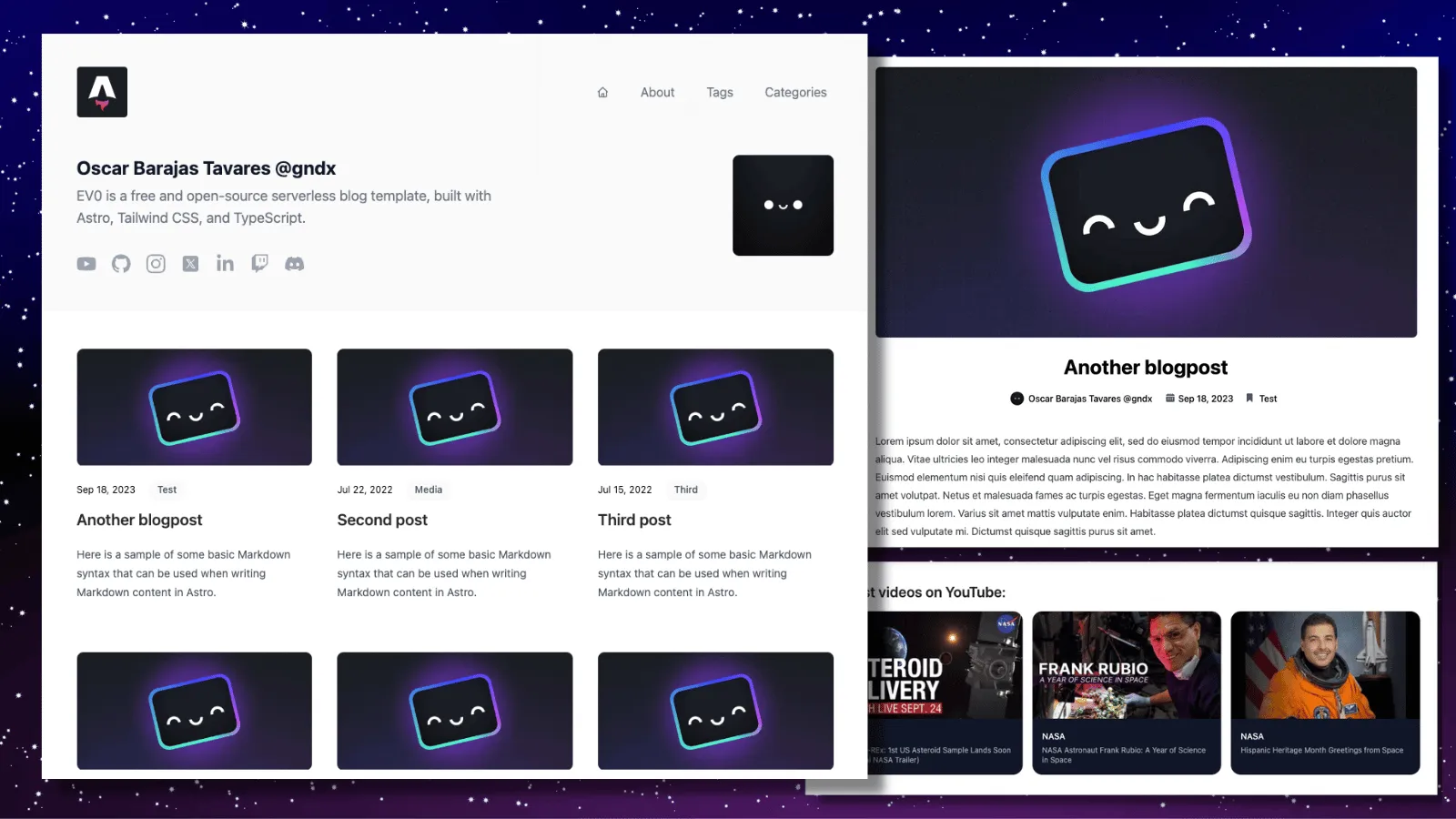
Key Features of EV0 Astro Theme Template
This template is designed with the following features in mind:
- Minimalist Style: Its design focuses on essential information.
- SEO Friendly: It is optimized for search engines and friendly URLs.
- Fully Responsive: Adapts to any device and resolution.
- Integration with YouTube: You can show your latest videos if you want.
- Simple Commands: Includes a command line command to easily add new blocks.
- 100/100 Lighthouse
- PWA Ready
Clone the Repository
Before you start, you need to clone the repository of this template.
Repository: https://github.com/gndx/ev0-astro-theme
Customize and Configure
Once cloned, move to the project folder and run npm install to install the dependencies. In the config file, you can customize your site information, enable features like YouTube, and define your social networks.
In the repository you will find all the documentation to customize it:https://github.com/gndx/ev0-astro-theme
Create your Content
The structure of the content of your blog or portfolio is found in the “blog” section. Each file represents a page or section of your website and contains relevant information such as title, description, date, image, category, tags, and author.
Start Writing!
The best part is that you can start creating your content directly in this file, without the need for databases or third-party tools. Everything will be within this same project.
Local development environment
Once you’ve customized your site and created your content, it’s time to test it. Run npm run dev in your terminal and open your site locally in your browser. Your blog or portfolio will be ready to go!
Do you want to learn more about Astro?
If you want to go deeper into using Astro, I recommend my online course. You will learn how to get the most out of this tool and all its features.
In short, with Astro.build and this minimalist template (EV0 Astro Theme), you will be able to launch your blog or portfolio in an effective and personalized way. Dare to explore and share your knowledge with the world!
Remember that this template is completely open source, so you can adapt it, modify it and submit your improvements to the main repository. I hope this guide helps you on your path to creating your website!